

Download Microsoft Windows Defender – anti-malware, spyware protection, real-time security
Overview
Microsoft Windows Defender is a built-in security solution designed to safeguard Windows-based devices from a variety of digital threats, including spyware, adware, and other malicious software. Its primary purpose is to maintain system integrity by preventing unauthorized access, reducing performance degradation, and minimizing disruptive pop-ups. The app is especially beneficial for users who prioritize digital safety and seek reliable, integrated protection without the need for third-party tools.
Windows Defender addresses common issues such as system slowdowns, unexpected data leaks, and intrusive advertisements caused by unwanted software. It is particularly valuable for home users, remote workers, and small business environments where maintaining a secure computing environment is essential. As part of the Microsoft Windows ecosystem, the tool operates seamlessly with the operating system, ensuring consistent performance and minimal resource overhead.
Developed by Microsoft, the app leverages the company’s extensive experience in cybersecurity and operating system integration. Although the developer did not provide additional technical details about its architecture or threat detection algorithms, its presence as a default security component underscores its importance in the Windows app ecosystem. Real-world use cases include daily browsing, online banking, document editing, and remote collaboration—all scenarios where uninterrupted and secure performance is critical.
Key Features & Functionality
- Real-Time Protection – Continuously monitors system activity, file access, and network traffic to detect and block threats as they emerge. This proactive defense helps prevent malware from executing before it can cause harm.
- User-Friendly Monitoring System – Provides clear, actionable alerts and recommendations when threats are detected. Users can review potential risks and choose to quarantine, remove, or allow specific items based on context.
- Minimal System Interruptions – Designed to operate efficiently in the background, ensuring that user workflows remain uninterrupted. The software prioritizes performance while maintaining robust security coverage.
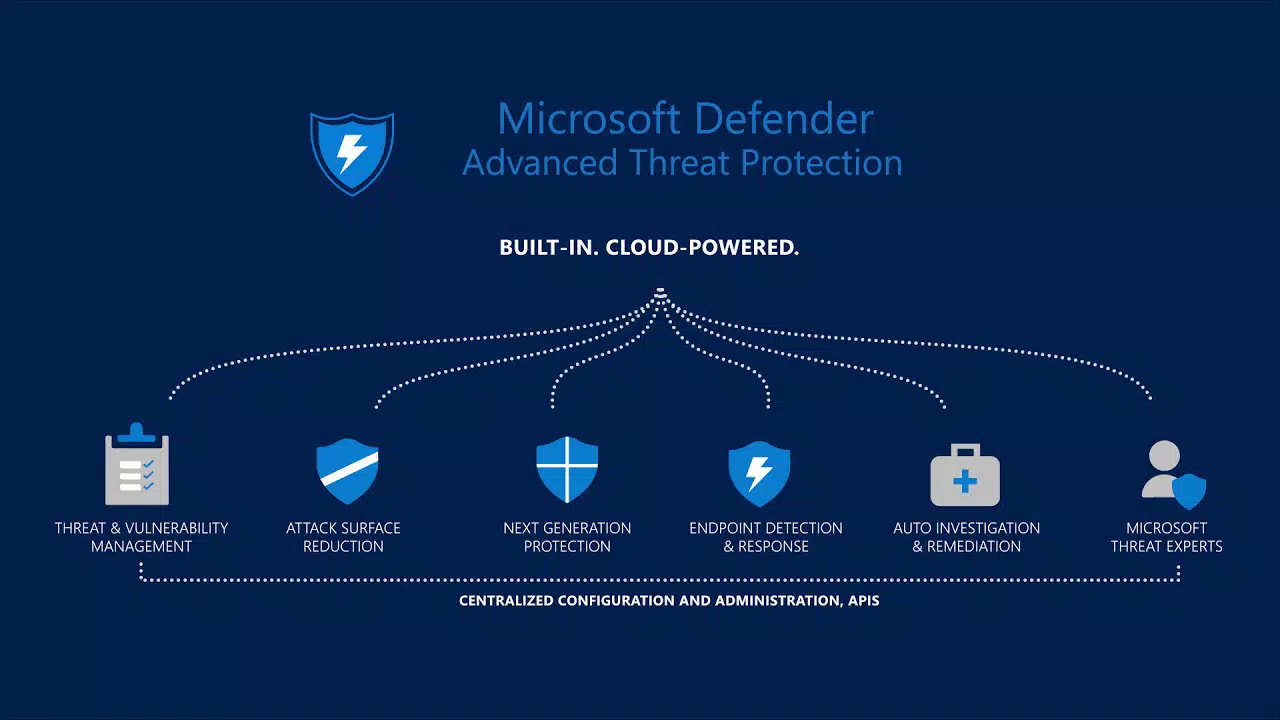
- Comprehensive Threat Detection – Offers multi-layered protection against spyware, adware, ransomware, and other forms of malicious software. It integrates with cloud-based threat intelligence to stay ahead of emerging risks.
- Automatic Updates – Regularly receives updates to its virus definitions and detection engines, ensuring ongoing protection against the latest threats without requiring manual intervention.
For example, a user browsing the web may encounter a malicious script designed to install spyware. Windows Defender detects the threat in real time and blocks it before it can compromise the system. Similarly, during file transfers or software installations, the tool scans for hidden malware, helping users avoid accidental infections. These features collectively enhance digital safety and promote a more productive computing experience.
Interface, UX & Performance
Windows Defender features a clean, minimalist interface that aligns with the overall design language of Windows 10 and Windows 11. The main dashboard provides quick access to scan status, recent threats, and protection settings, all organized in a logical, easy-to-navigate layout. Navigation is intuitive, with clearly labeled sections and consistent iconography, making it accessible even to users with limited technical knowledge.
Performance is optimized for low resource consumption. The tool runs efficiently in the background, utilizing minimal CPU and memory during routine operations. Although the developer did not list formal performance metrics, its integration with the operating system allows for seamless operation across various device categories, including laptops, desktops, and tablets. Responsiveness is maintained during scans, with minimal impact on system speed.
Stability is a key strength, as the app is tightly integrated into the Windows OS. It does not frequently crash or conflict with other system processes. However, specific compatibility details were not disclosed, and no information was provided about how it performs under high-load conditions or on older hardware. Overall, the user experience reflects a mature, well-tested security utility designed for long-term reliability.
Platform Compatibility & Technical Requirements
Microsoft Windows Defender is available exclusively on Windows platforms. It is designed to run on Windows 10 and Windows 11, though the exact minimum OS version was not specified by the developer. The app has a file size of 150 MB, which is relatively compact for a security tool of its scope.
As a built-in component of the operating system, Windows Defender does not require a separate installation process. It is automatically enabled upon system setup, ensuring immediate protection. The developer did not specify minimum RAM, processor, or storage requirements, nor did they list compatibility with older Windows versions. Users are advised to ensure their system is up to date to maintain full functionality.
Pros and Cons
- Free to use with no hidden costs
- Integrated directly into Windows, eliminating setup complexity
- Real-time threat detection and automatic updates
- Lightweight and low impact on system performance
- Clear, user-friendly interface for non-technical users
- Not available on non-Windows platforms
- Limited customization options compared to third-party tools
- Specific technical requirements were not disclosed
- May not offer advanced features found in premium antivirus suites
- Dependent on Windows OS updates for full functionality
FAQ
Is Microsoft Windows Defender safe to use?
Yes, Windows Defender is a secure, officially supported tool developed by Microsoft. It is designed to protect your system without introducing additional risks.
Can I use Windows Defender on older versions of Windows?
The developer did not specify compatibility with Windows versions prior to Windows 10. It is recommended to use the latest supported OS for optimal protection.
Does Windows Defender require a subscription?
No, Microsoft Windows Defender is completely free and does not require a paid subscription.
How often does Windows Defender update?
It receives regular updates automatically to ensure protection against the latest threats. These updates are delivered through Windows Update.
Can I install Windows Defender on Android or iOS?
No, Windows Defender is designed exclusively for Windows operating systems and is not available on Android or iOS devices.
Final Thoughts
Microsoft Windows Defender stands as a reliable, built-in security solution for users seeking robust protection without the complexity of third-party software. Its real-time scanning, intuitive interface, and seamless integration with Windows make it an essential tool for maintaining digital safety on everyday devices. While it may lack some advanced features found in premium antivirus programs, its performance, reliability, and zero cost make it a strong choice for home users and professionals alike.
For anyone using a Windows 10 or Windows 11 device, Windows Defender offers a balanced blend of protection, usability, and efficiency. It ensures peace of mind by continuously defending against evolving threats while keeping system performance intact.
Download Microsoft Windows Defender now


